Scheduling Appointments with Starfish
Starfish makes it easy to view office hours, schedule appointments, and find drop-in times for advising, financial aid, tutoring, and many other folks and services on campus. Please review the collection of videos. Hint: scheduling is pretty much the same throughout the system.
Scheduling Resources
You can find your Academic Advisor(s) or Retention Specialist(s), Financial Aid coaches, instructors, and other staff listed in your My Success Network, making it easy to find their contact and office hours information, schedule appointments, and sign for group sessions and workshops. If you happen to not have anyone in your My Success Network, please reach out the general advising office at your college and they'll help you get connected.
Transcript: Scheduling an Appointment with your Advisor in Starfish
Some staff or service areas may have group appointments or workshops available to students. You can sign up for these in Starfish, too.
Transcript: Signing up for a Group Session or Workshop in Starfish
In some cases, you might just be trying to schedule with the first available staff member of a department or service area. In that case, you can find the service and just schedule directly through the service, selecting the time that works best for you.
Transcript: Scheduling General Service Appointments in Starfish
While many tutoring centers at our Seattle Colleges are available for drop-in appointments, some centers also offer scheduled tutoring appointments. Some tutoring centers would like you to select a tutor and some are set up so that you can work with anyone.
Transcript: Scheduling a Tutoring Appointment in Starfish
Frequently Asked Questions
All appointment and scheduling confirmations will come from the email address seattlecolleges@calendar.starfishsolutions.com. Add this email to your contacts to ensure none go to junk or spam.
Contact information in Starfish is automatically updated from the contact information students have in their ctcLink student account.
- Email: Students automatically receive emails and notifications sent through Starfish to both their Seattle Colleges and their preferred email address (as indicated in ctcLink).
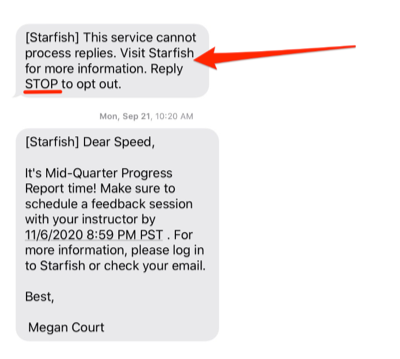
- Text Messaging: Students will also receive messages about upcoming appointments and other critical items from student services via text message. Text messaging is one-way communication. Students cannot reply to the sender via text.
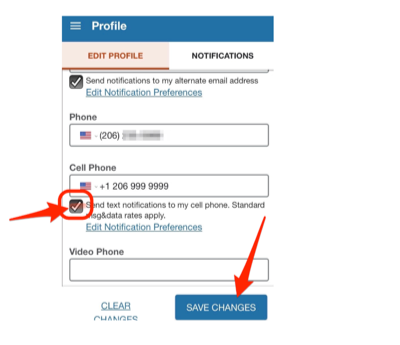
To opt out of receiving text messages through Starfish, reply STOP to the most recent text message or update your notification preferences in your Starfish Profile.
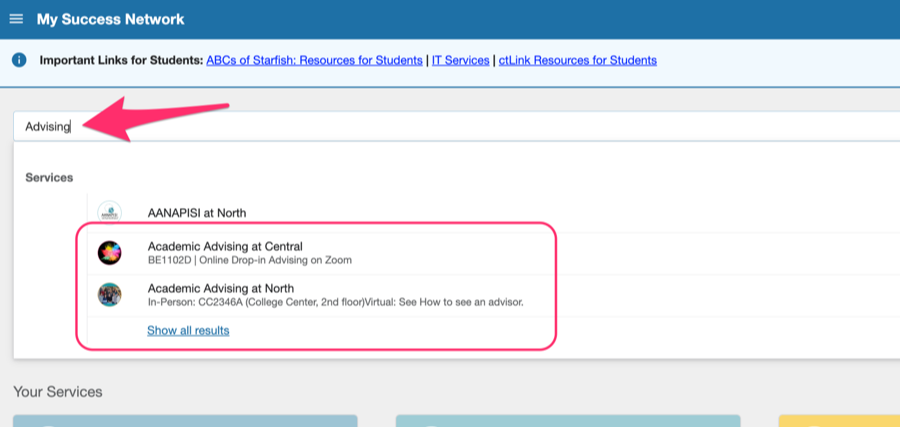
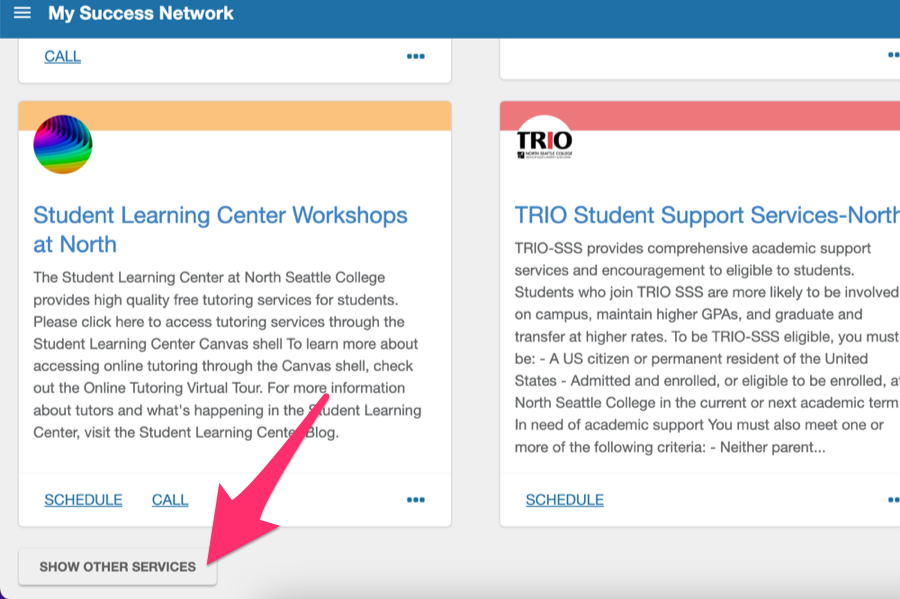
Don’t worry if you don’t see an advisor in Your Connections. Advisors can work with all students. Simply find the advising office at your campus using the top search box or by scrolling to find it in your services (you can also click SHOW OTHER SERVICES to see ALL services) and schedule with the advisor who advises for your area of study or any other advisor. They can help get you connected with your academic advisor.