Make a Payment
Making a payment in your ctcLink account is similar to making payments in other systems; you select how much you're going to pay, enter your billing and payment information, confirm, and submit. Seattle Colleges students can pay all of their charges or specify a payment amount for each type of charge on their account.
For step-by-step instructions, please review the following guide:
Make a Payment (classic)
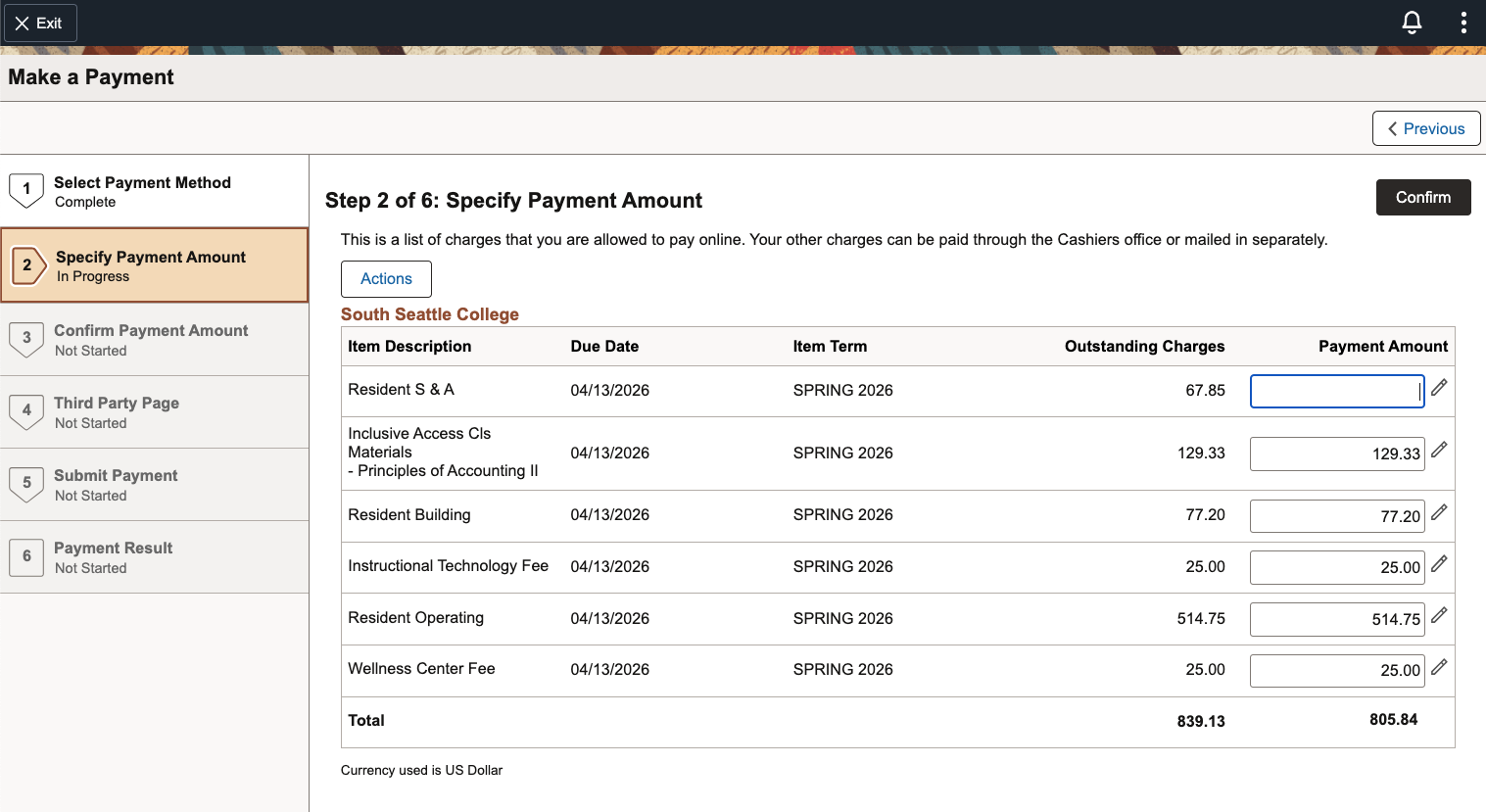
Important information to consider when reviewing your charges and making payments:
- The list of charges aligns with the quarterly tuition deadline.
- Non-attendance does not constitute a reason to avoid payment.
- The college reserves the right to cancel registration of unpaid students.
- Students should stay connected with their funding source: Financial Aid, Workforce, employer or agency, etc. (non-payment from funding sources may result in a direct bill to the student).
- If you wish to make a partial payment, you must sign up for a Nelnet Payment Plan. Partial payment without a payment plan may result in being dropped from classes.
- Outstanding debt may be referred to a collection agency.
- Future registration may be blocked until payment is made.
Tips for Known Issues
Some students are encountering issues in ctcLink. Below are some solutions you can try.
In addition to the guides and resources on this page, the ctcLink Reference Center's Student Homepage has guides for all WA state community and technical college students.
Last updated 4/23/2026