Enroll in a Nelnet Payment Plan
DRAFT
Seattle Colleges students can set up payment plans through Nelnet. Find all the information about signing up and target dates to enroll by at Seattle Colleges MyPaymentPlan webpage or visit the individual college payment plan webpages for more information.
Nelnet Payment Plans at:
Guides
- Log in to ctcLink.
- If you are or have been a student at more than one WA state community or technical college, choose the college at which you would like to enroll.
- Click Student Homepage.
- Click the Financial Account tile.
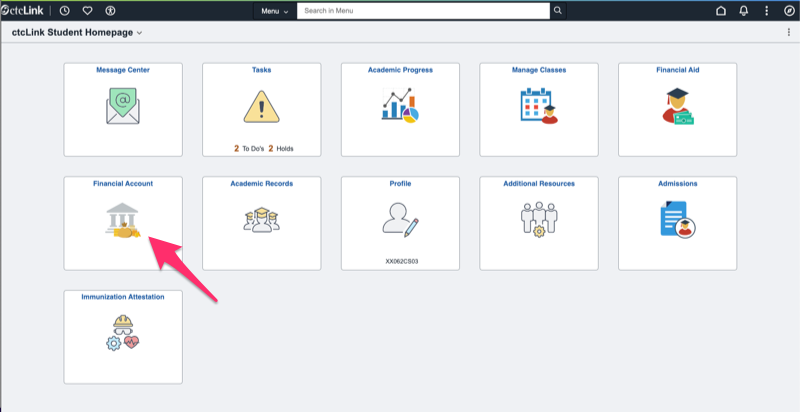
- Click the arrow next to Payment Plans.
- Click Nelnet Payment Plan.
- Review the total amount due and click the Nelnet button. You'll receive a notice that you're being redirected to a third party payment portal.
- Create your Nelnet account. Note that the email and phone number
- Contact Information
- Address
- Phone number
- Once you've entered all the required information, click Submit.
- You'll be prompted to set up multi-factor authentication using the email address you entered in the Create Account step or an authenticator app on your phone.
- Set your security questions.
Last Updated 4/23/2026